Enabled faster, clearer workflows for Priority Roofing.
Priority Roofing
2024
Overview
Priority Roofing is a roofing service company managing multiple jobs across sales reps, back-office teams, and project managers. This work focused on designing a CRM system to support how jobs are created, tracked, and coordinated across these roles. The solution brings all job-related activities into a single system, enabling consistent tracking, clearer ownership, and better visibility across the entire workflow.
Roles
Product Design
Team
Developers, Product Manager,Tester, Stakeholder
Timeline
2024-Present
Problem
Tracking the complete lifecycle of a job from creation to completion was fragmented across spreadsheets and multiple tools. Each stage of work was handled separately by different roles, making it difficult to maintain continuity and visibility. Sales reps, back-office teams, and project managers operated in silos, leading to gaps in communication, inconsistent updates, and delays in tracking progress across the workflow.
Opportunity
The opportunity was to unify the lifecycle of a job into a single, continuous system that connects all roles and stages of work. Instead of managing tasks independently, the system could provide a shared view of progress, ownership, and updates across the entire workflow. This would enable teams to track work in context, reduce dependency on manual coordination, and improve overall operational efficiency.
Discovery
Initial Research and Domain Workflow
Understanding how roofing operations function was critical before defining the system. The workflow is not linear and involves multiple roles sales reps, back-office teams, and project managers working on the same job at different points in time.
At a high level, a job moves through creation, coordination, and execution, with ownership shifting across these roles. Each role interacts with the job differently, but all depend on accurate and timely updates to move work forward.
Key Observations
Sales reps, back-office teams, and project managers each handle different parts of the job, often without a shared view.
Jobs move forward through coordination between roles, making transitions a critical point of failure.
Delays in updates impact scheduling, execution, and overall workflow efficiency.
Updates without clear ownership, status, or stage create confusion and require follow-ups.
Most decisions depend on the latest job status, making real-time visibility essential.
Competitive Analysis
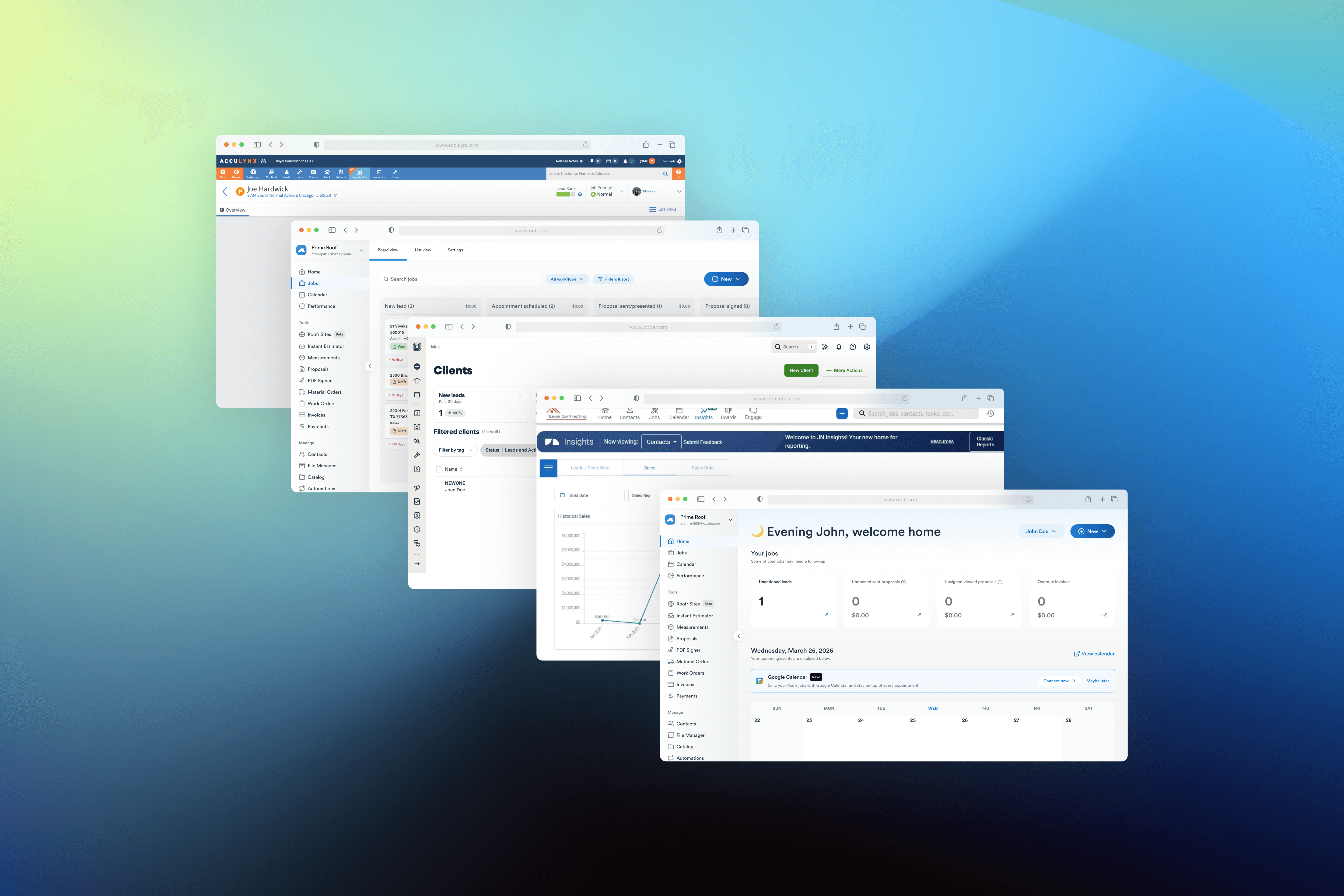
To understand how operational workflows are handled in similar systems, I analyzed existing CRM and workflow tools used in service-based and operations-heavy environments.
The focus was not on feature comparison, but on how these systems handle job tracking, role coordination, and workflow visibility.
What Works Well
Most tools provide clear ways to create and manage tasks.
Information is stored in one place, reducing dependency on scattered tools.
Systems offer visibility into overall progress and performance.
Where They Fall Short
Tools treat tasks as isolated units rather than part of a continuous workflow.
Limited support for how different roles interact with the same job.
Feature-heavy systems increase cognitive load for day-to-day operations.
Status changes often lack enough information to understand progress without follow-up.
Stakeholder Interview
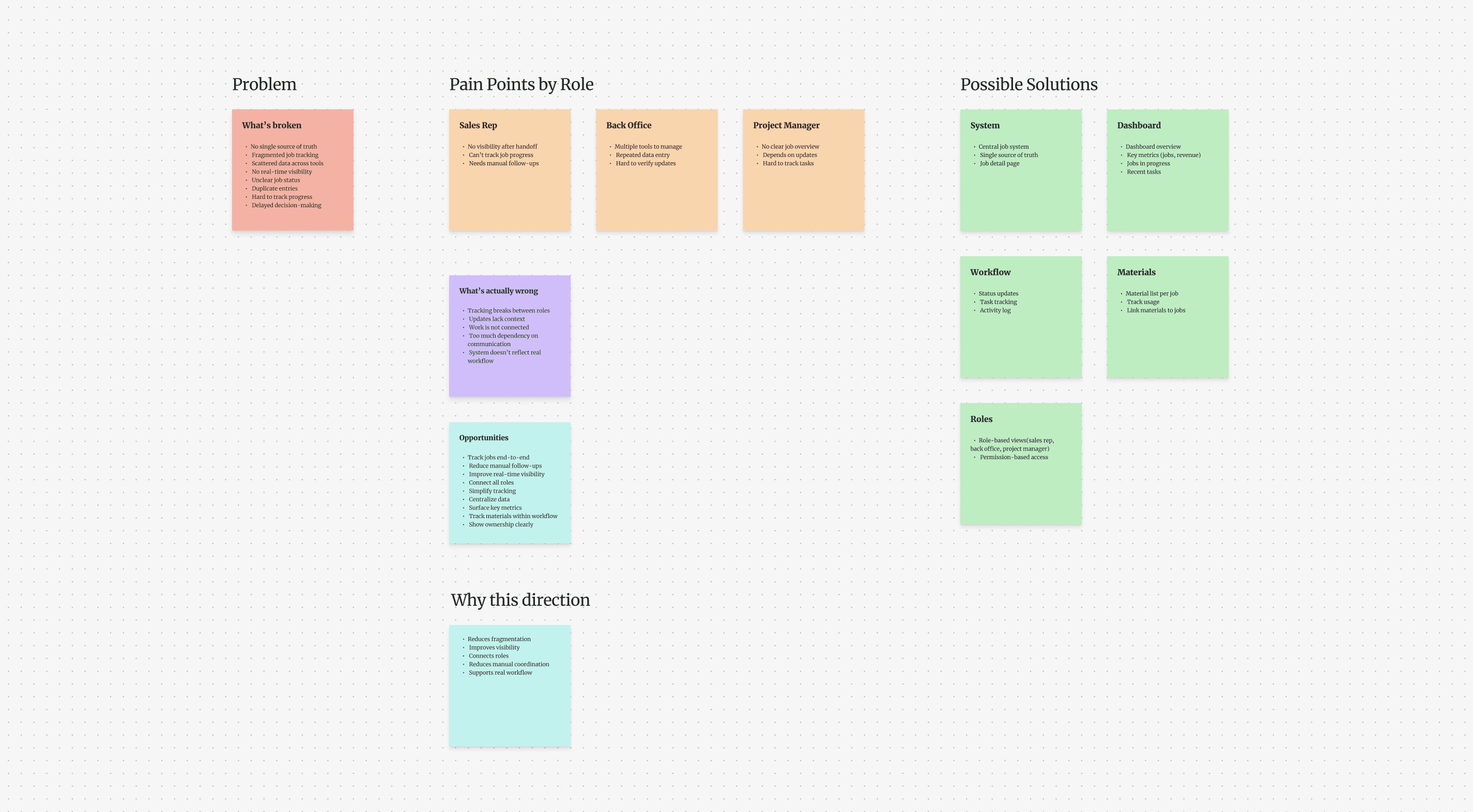
To understand the operational challenges, I conducted interviews with the founder and operations team.
Example Questions
How do you currently track job progress?
Which tools do you use daily to manage tasks?
Where do delays usually happen in your workflow?
What information is hardest to track during a project?
What would make your daily work easier?
Key Insights
Teams needed better visibility of ongoing work
Information was duplicated across platforms
Task ownership was often unclear
Tracking updates required manual coordination
Identifying Opportunity
The biggest opportunity was not building more features but creating a structured system where operational data could be easily tracked and updated in one place.
What Got Shipped
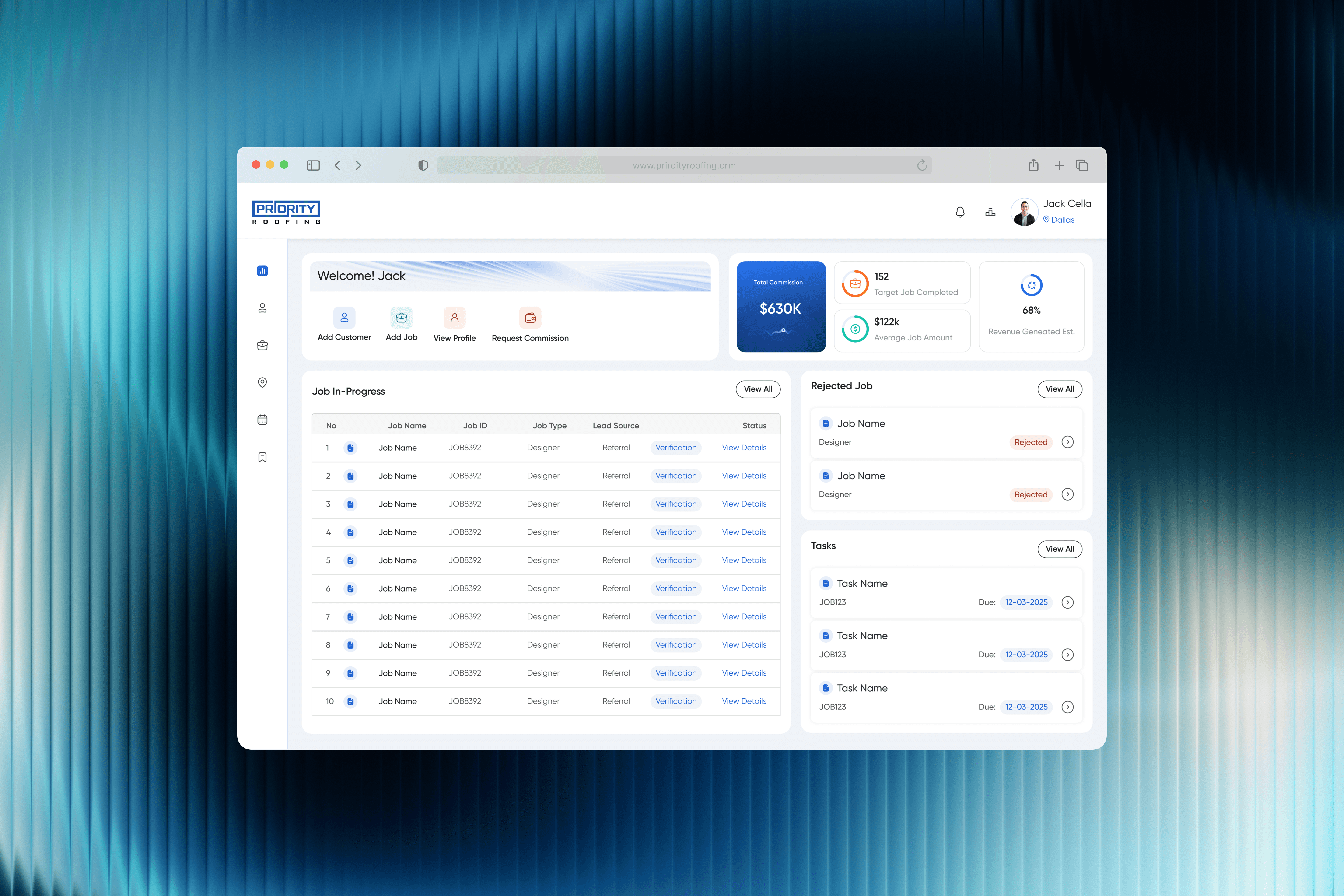
Designed a Dashboard for Operational Clarity
To address the lack of visibility across operations, the first step was designing a centralized dashboard that provides a high-level view of ongoing work.
The dashboard acts as the entry point for all roles, surfacing critical information required to understand the current state of operations without navigating across multiple systems.
What It Solves
Previously, teams relied on spreadsheets and manual updates to understand
How many jobs are active
Which jobs are in progress
Revenue and commission tracking
What tasks require attention
The dashboard replaces this with a single, real-time view of operations.

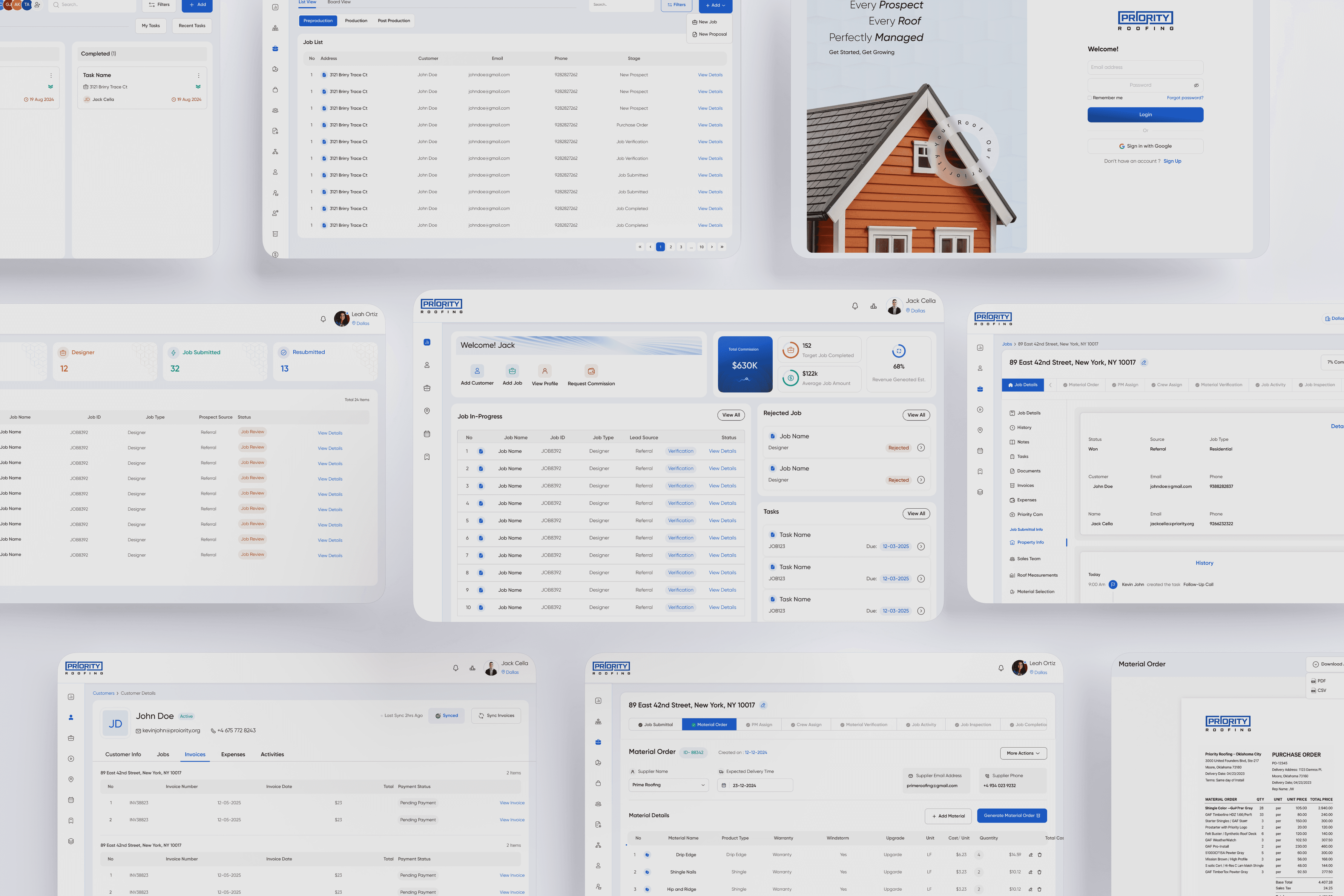
Structuring Job Tracking into a Unified View
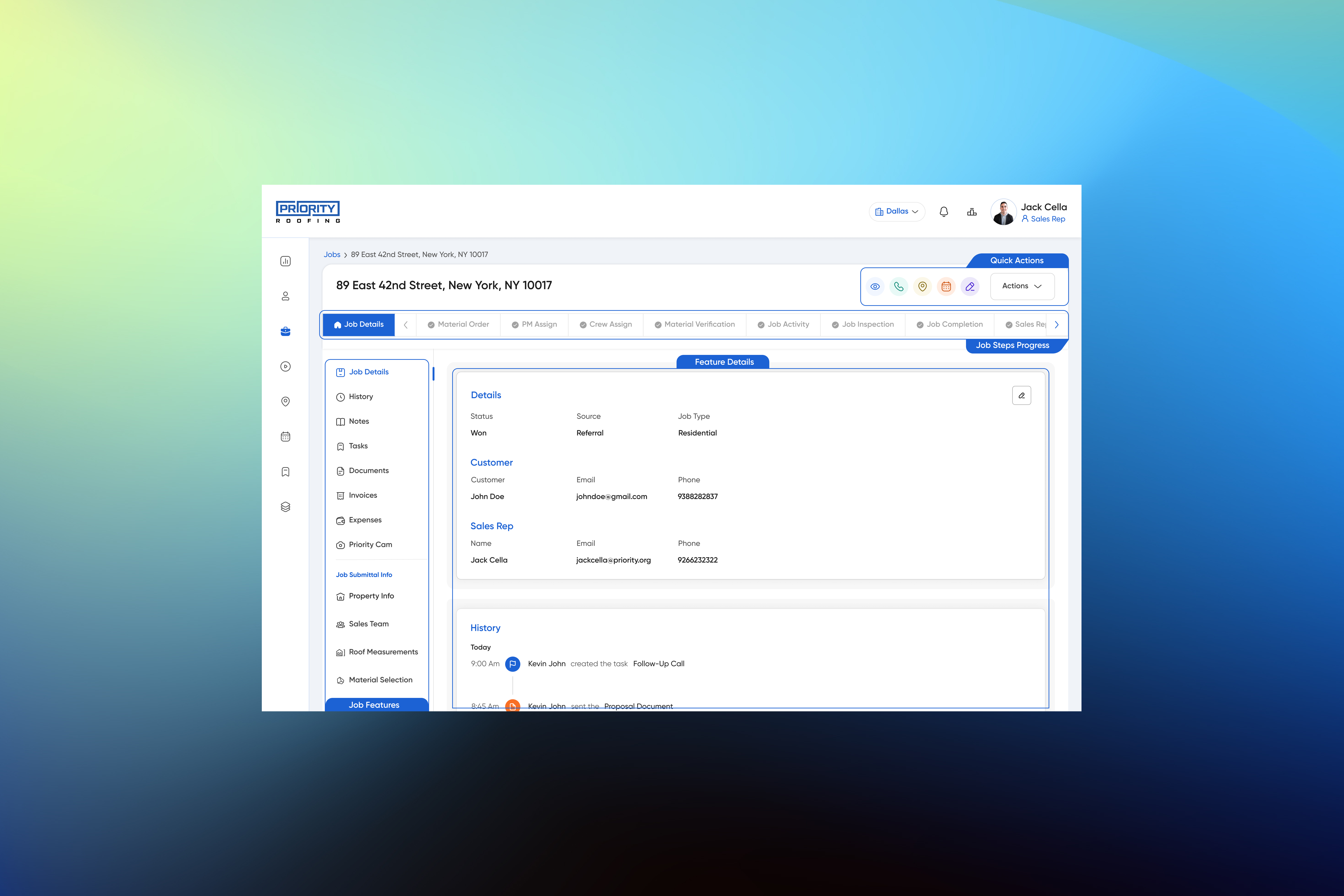
Job tracking was fragmented across spreadsheets and tools, making it difficult to understand progress, ownership, and current status. There was no single place to view or manage jobs end-to-end.
To address this, I introduced a dedicated Jobs layer to centralize all job related activity into a single, structured system.
Jobs Overview
The main Jobs page provides a complete view of all jobs, designed for quick scanning and prioritization. Users can identify status, filter relevant work, and access the right job without navigating across multiple tools.
Job Detail
Each job opens into a focused view that consolidates all related information status, tasks, and updates within one context. This removes the need for cross referencing and enables continuous tracking within the system.
Outcome
Tracking shifted from fragmented updates to a continuous, system driven flow.
Users gained clear visibility into job progress, reduced reliance on follow-ups, and improved coordination across roles.

Standardizing Material Data Through Inventory
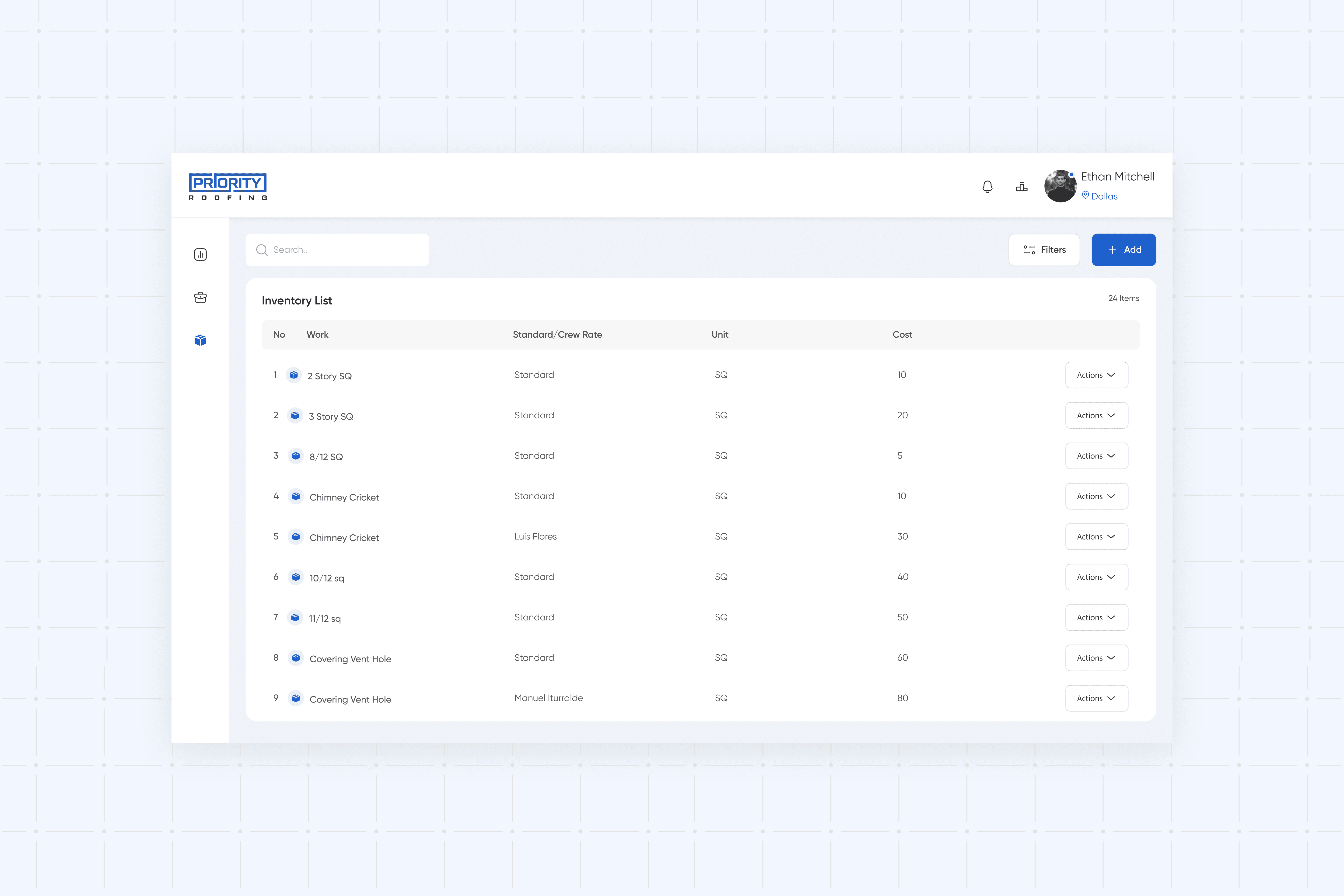
Material data was previously maintained in Excel sheets, often duplicated and inconsistently updated across teams. This made it difficult to reuse information, verify accuracy, and maintain consistency across operations.
To address this, an inventory module was introduced as a centralized material database. It provides a single place to store and manage material data, ensuring consistency and reducing repeated entry.
Design Decision
Instead of embedding materials directly into job workflows, the inventory was designed as a separate data layer. This keeps the job flow focused while allowing teams to reference standardized material data when needed.
Outcome
Material data became consistent, reusable, and easier to manage.
Teams no longer rely on scattered Excel sheets, reducing duplication and improving overall data reliability.
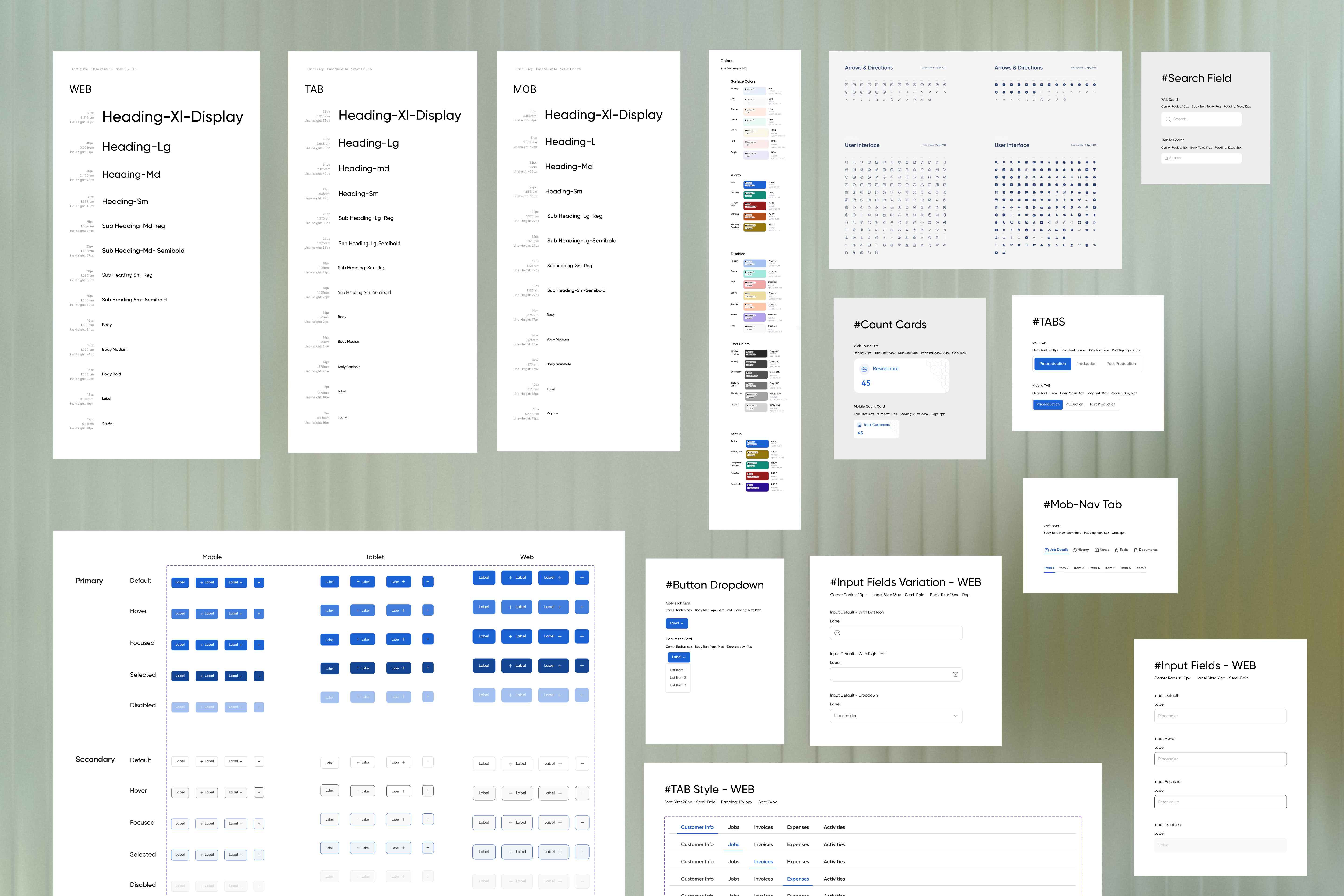
Design System & Component Library
As the CRM evolved, a consistent design system was established to support scalability and maintain visual and interaction consistency across the product.
The system included reusable components, standardized layouts, and a defined visual language to ensure faster design iterations and smoother collaboration with development.
Impact Overview
Impact
+35–40% improvement in job tracking efficiency
–30% reduction in manual coordination across teams
+40% faster updates and reporting
Experience Improvements
Simplified job tracking from fragmented steps to a single continuous flow
Reduced dependency on follow-ups by providing real-time visibility
Improved clarity of ownership across sales, back-office, and project managers
Enabled faster decision-making with contextual and up-to-date information
System Improvements
Replaced multiple tools and Excel-based tracking with a centralized system
Standardized material data through a dedicated inventory module
Established a scalable foundation with reusable components and structured workflows
Improved overall reliability and consistency of operational data

 Resume